If your project has a structure as TerraMi predefined frameworks, you can save huge amount of time and resources by selecting the most reliable standards and can start by step 2.3. Managing Projects.
Application address: app.terrami.ca
Authentications (defining users and rules), Business Lines and customer information were defined by system administrator.
Manage KPIs
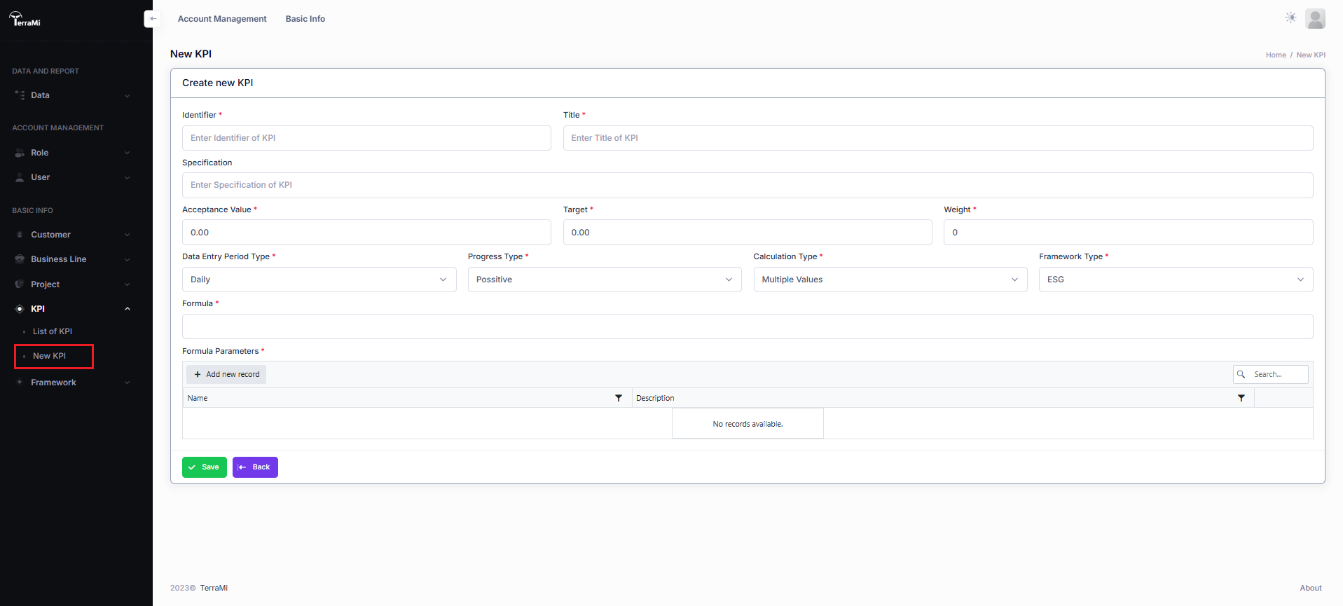
List of defined KPIs helps you to find out many of standard KPIs that you want. Otherwise, you can define your owned KPI.
Identifier: KPI code
Title: KPI name
Specification: KPI description
Acceptance Value: Minimum value of KPI
Target: Desired value of KPI
Weight: KPI weight in same level of framework
Data Entry Period Type: Daily, Monthly or Yearly
Progress Type: Positive (Increased value is preferred) or Negative (Decreased value is preferred)
Calculation Type: Single or Multiple (must be defined by parameterized formula)
Framework Type: ESG or CE framework
Formula: Define multiple value KPI by its parameters
Formula Parameters: Table of parameters definition
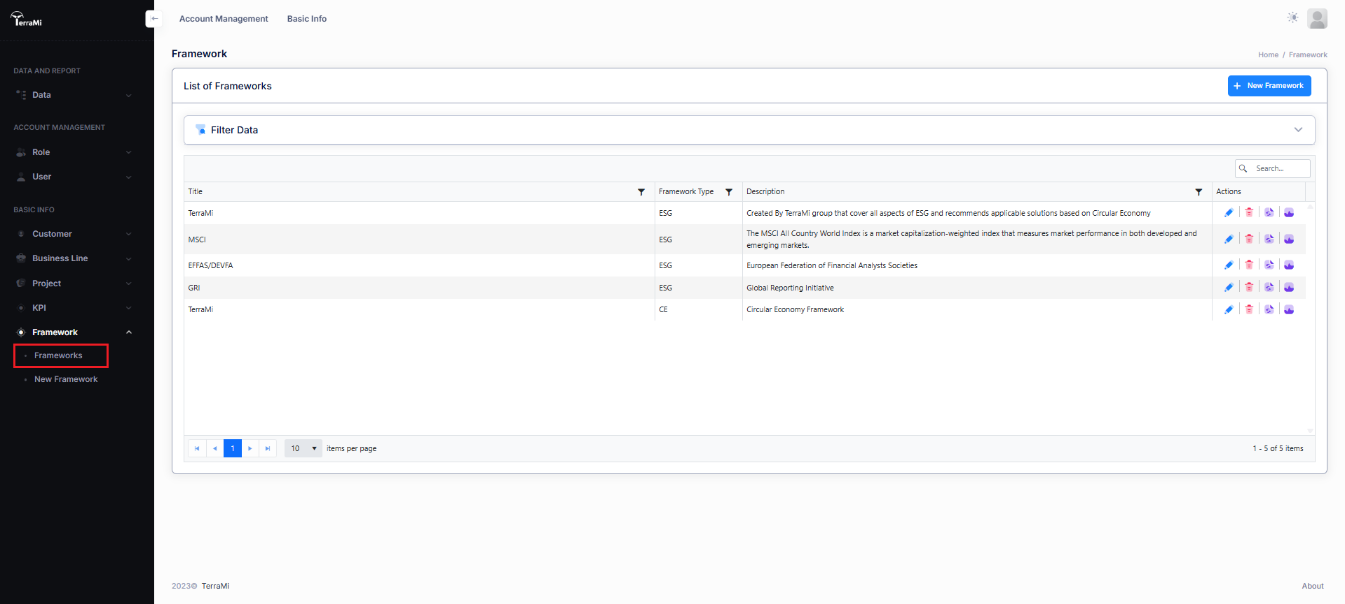
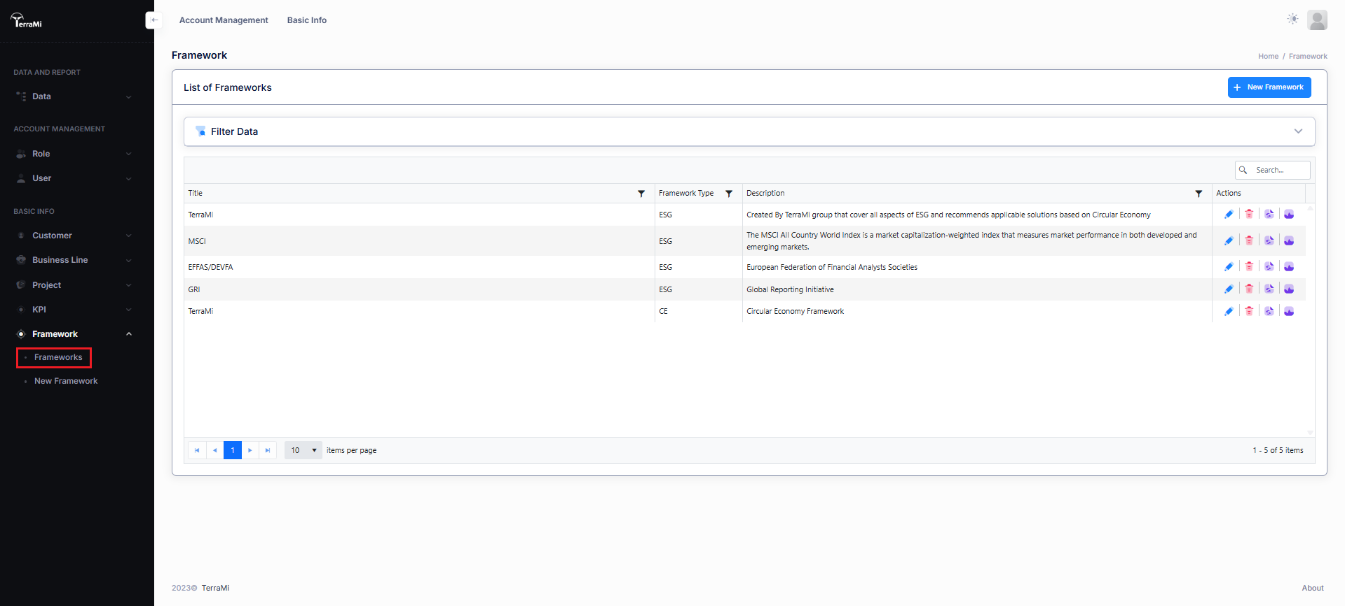
View, Edit or Delete Frameworks
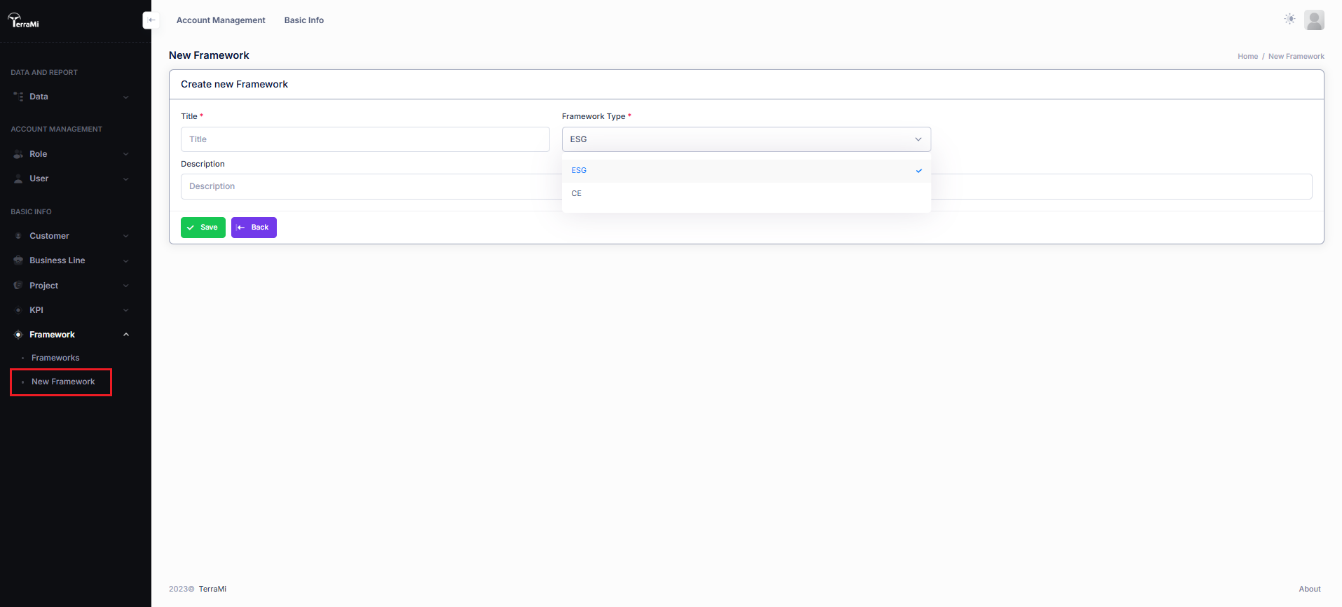
Create Framework
Title: Framework name
Framework Type: ESG or CE
Description: Details like reference or origin of Framework
Define Framework
First define new Framework, using TerraMiFrameworkTemplate.XLSX
Parent: Parent/Up level of selected KPI (Must be blank for highest levels: E, S, G or CE)
Item: KPI name as defined in list of KPI
Identifier: KPI Code/Identifier
Type: KPI Type: C: Up levels, K: Final KPI/Child
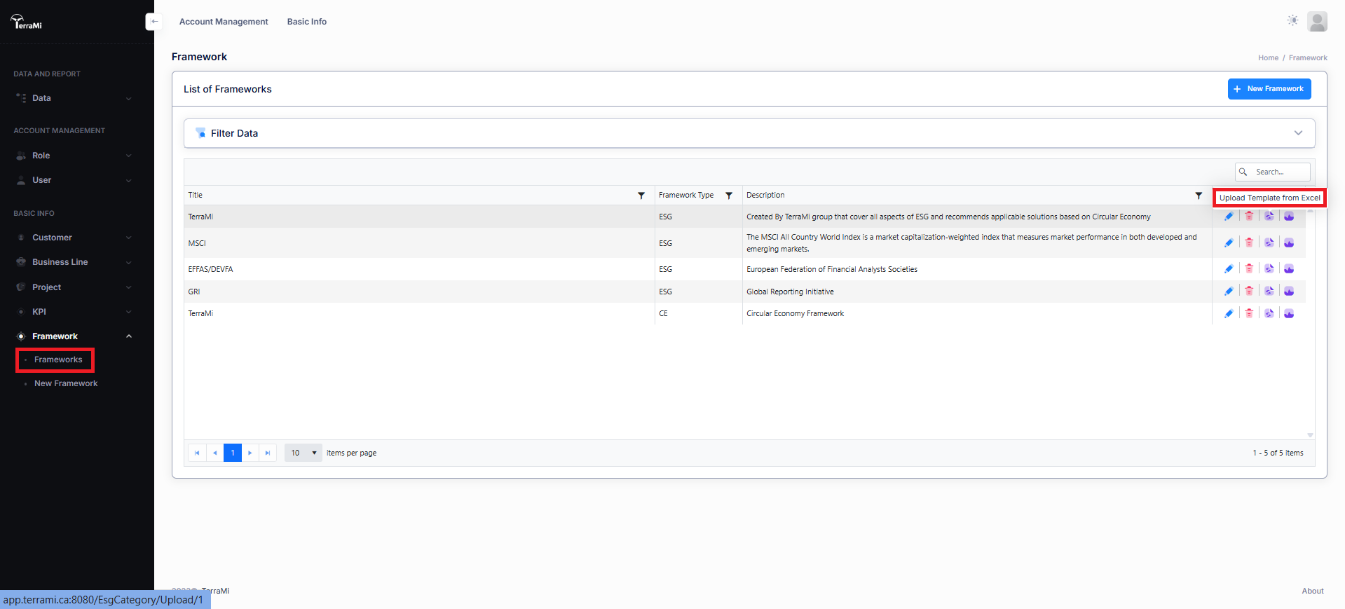
Upload defined Framework as MS Excel file in List of Frameworks.
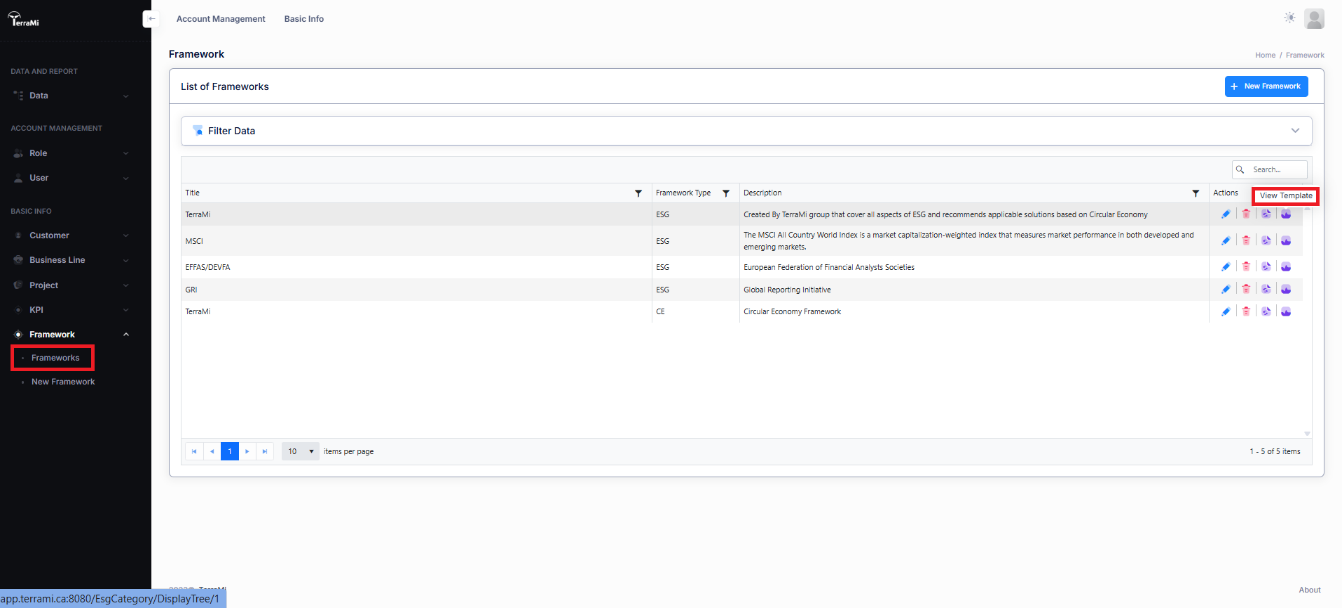
View defined Framework to check and confirmation.
View defined Framework details.
Manage Projects
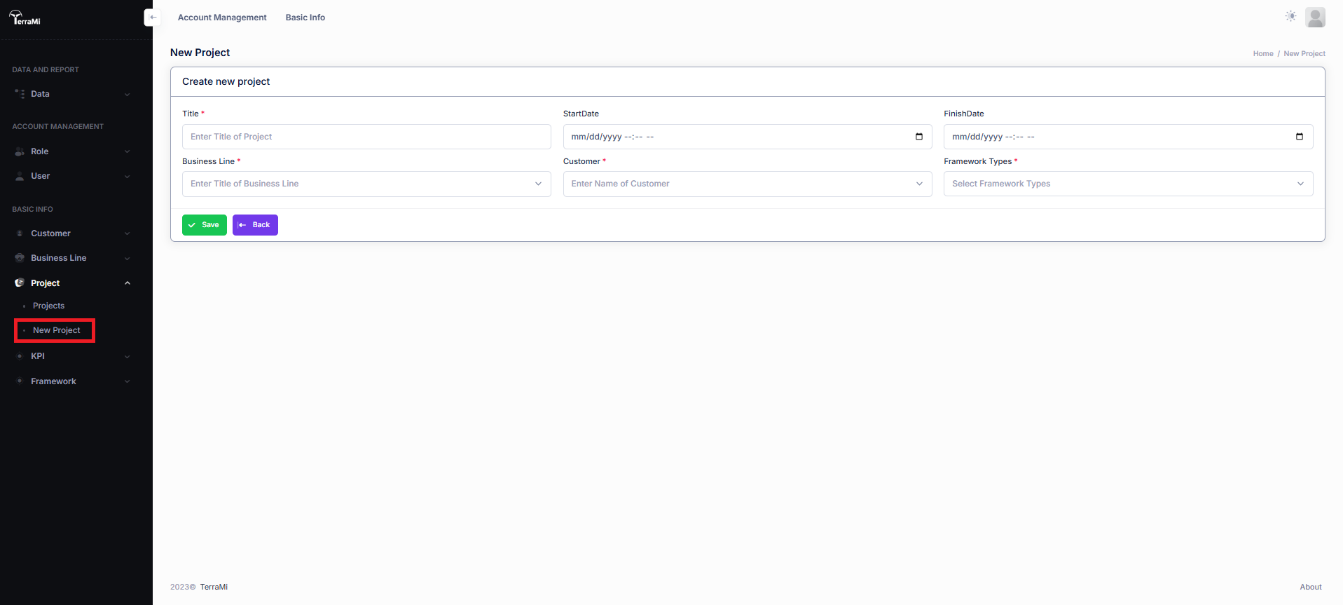
Create New Project
Title: Project Name
StartDate: Date of starting the project
FinishDate: Date of finishing the project
Business Line: Select type of project’s business line
Customer: Customer’s Name
Framework Types: ESG or CE
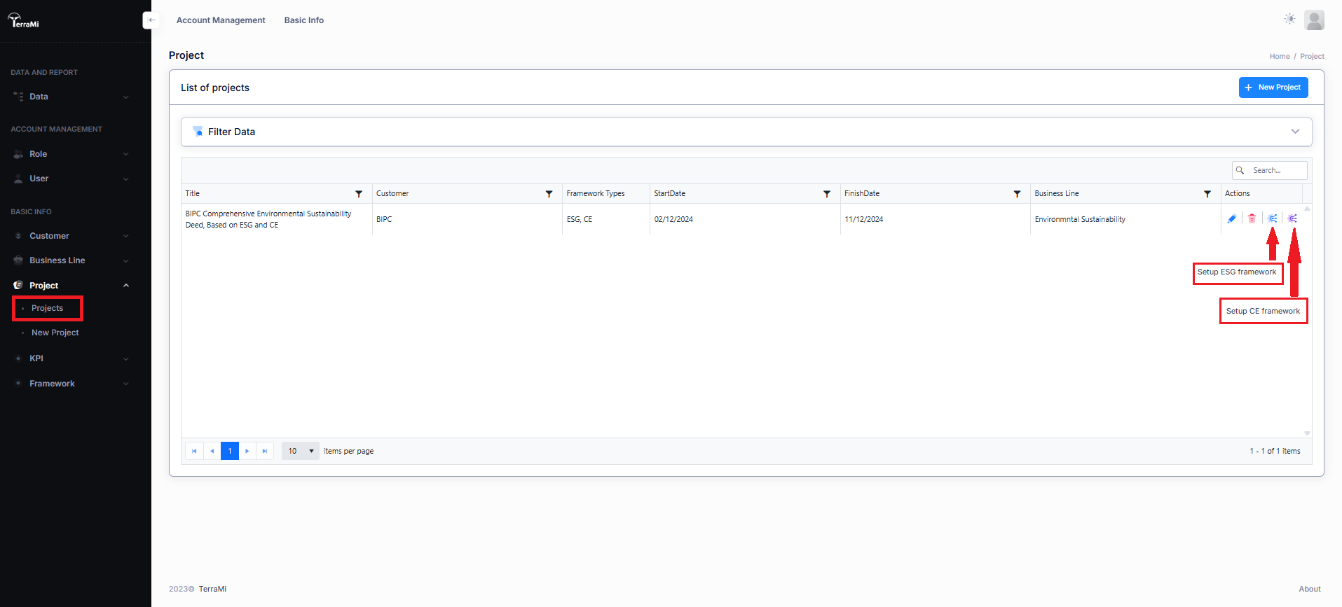
View, Edit, Delete or Configure Projects
Find your project in list of projects to edit, delete or setup ESG/CE framework. For projects, which has both ESG and CE frameworks, do this step two times and follow Project Setup Wizard.
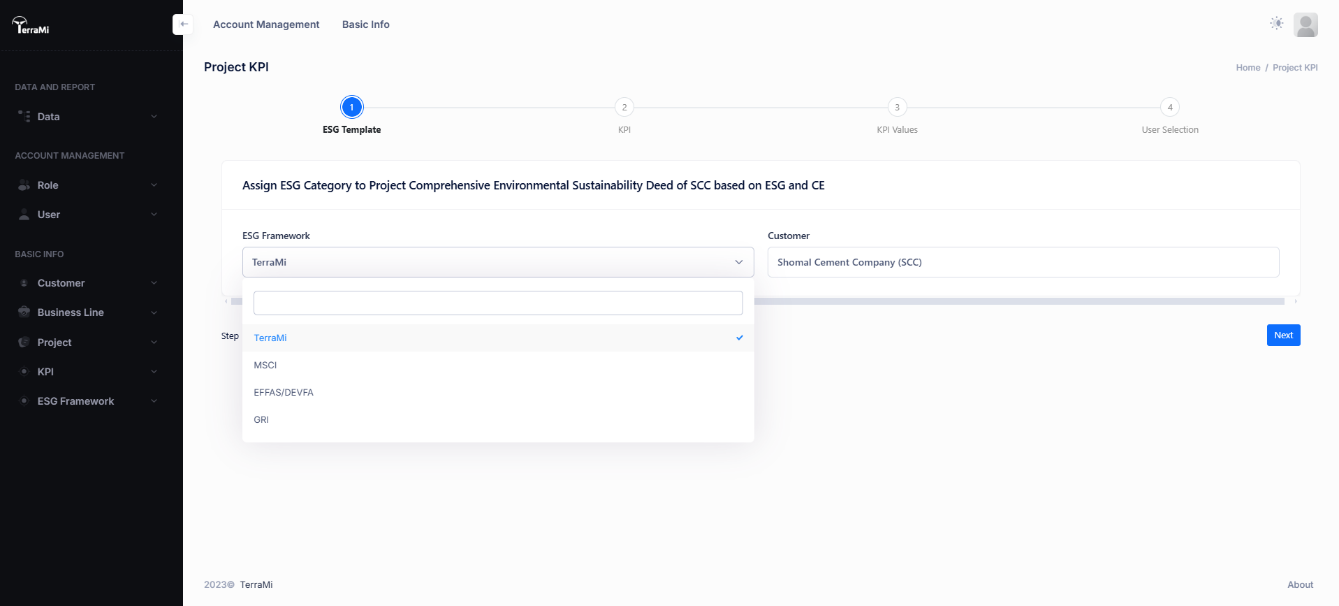
Assign framework
Select your ESG framework and Click Next.
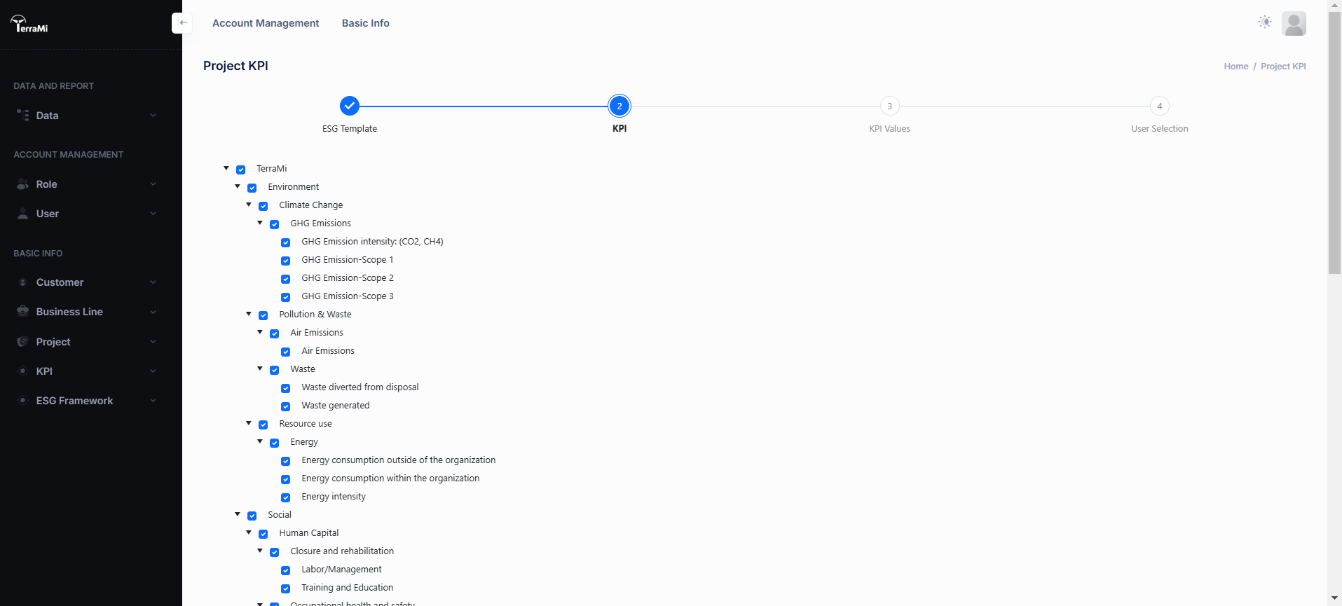
Select/Deselect KPI
Customizing your framework by select/deselect KPIs. Click Next.
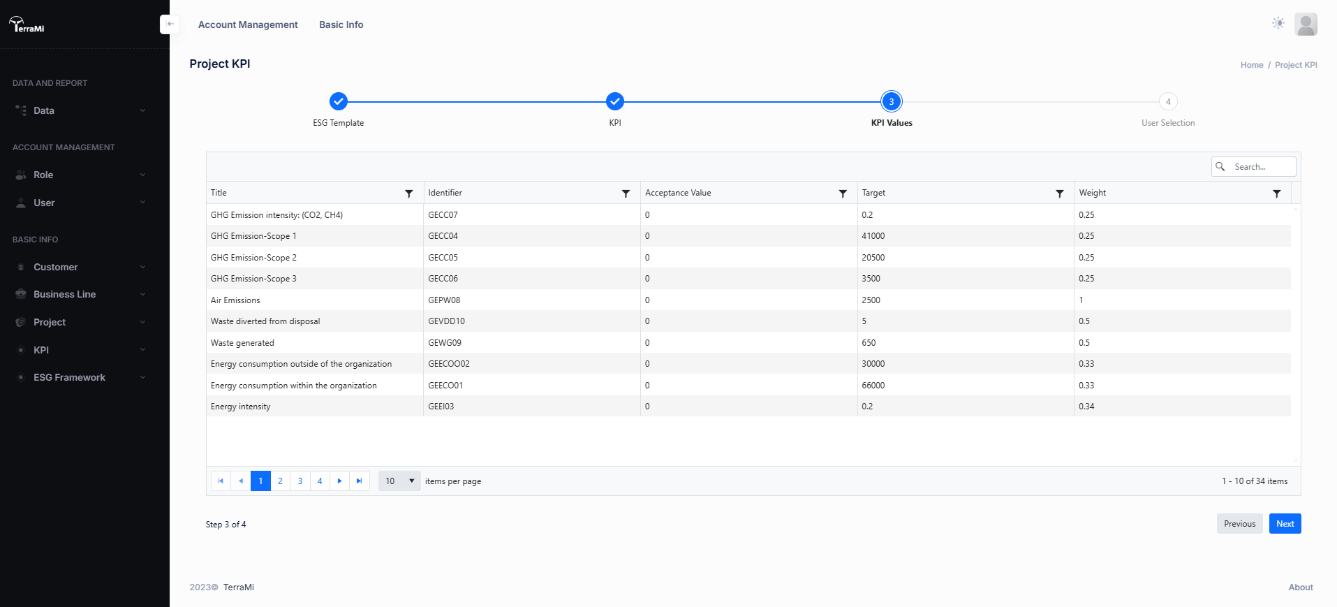
KPI Values
Set KPIs values
Acceptance Value: Minimum value of KPI
Target: Desired value of KPI
Weight: KPI weight in same level of framework
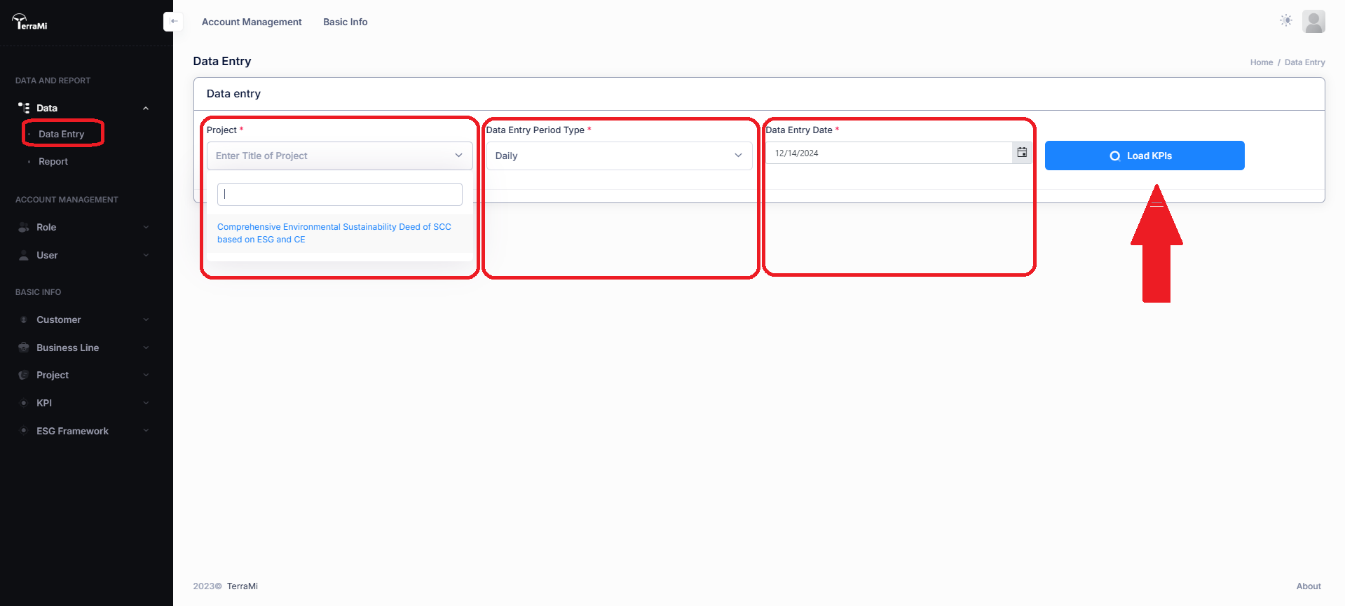
Data Entry
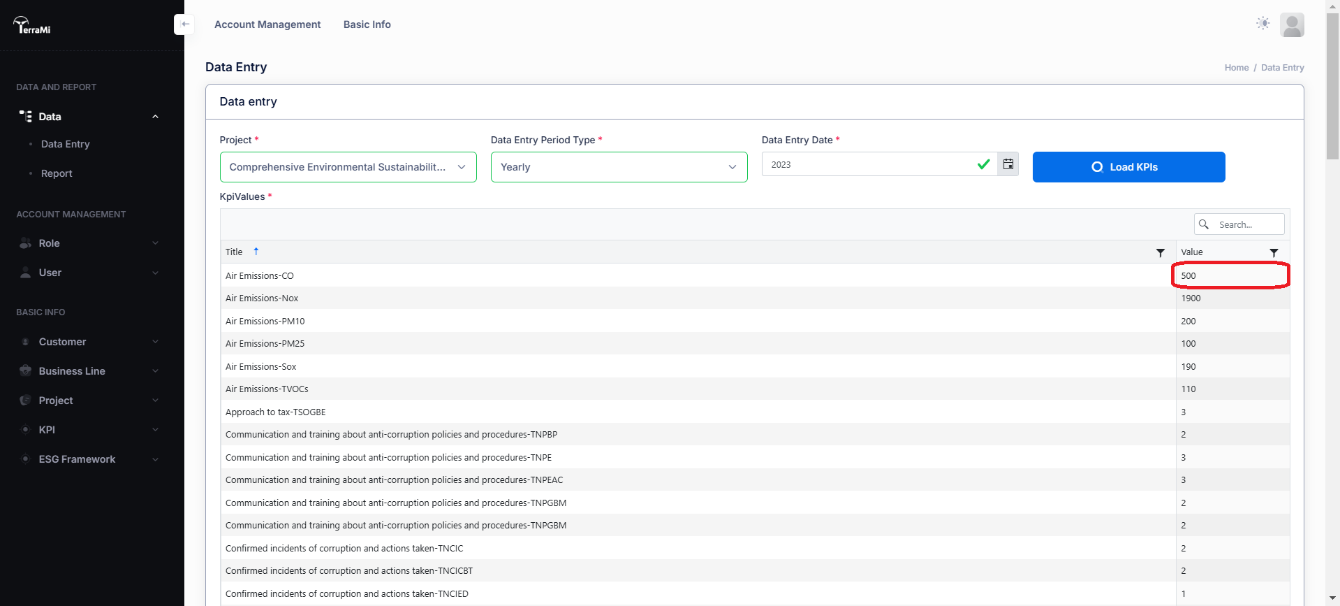
Select Data and Data Entry in main menu, select your project, period (Daily, Monthly or Yearly), Data Entry Date and click on Load KPIs.
Enter or edit data in value field and click Save to finalizing Data Entry.
KPI Report
Data and Report
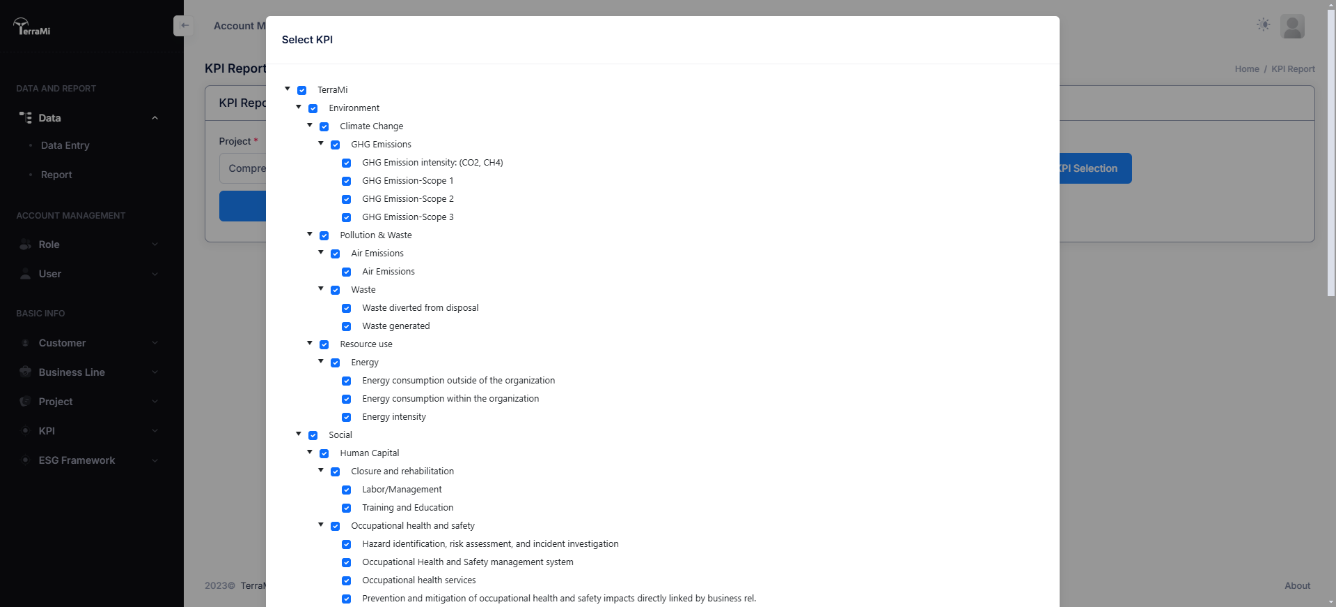
Select Data and Report in main menu, select Date(from), Date(to) and click on KPI Selection to identify the KPIs which will be shown.
Select/Deselect KPIs
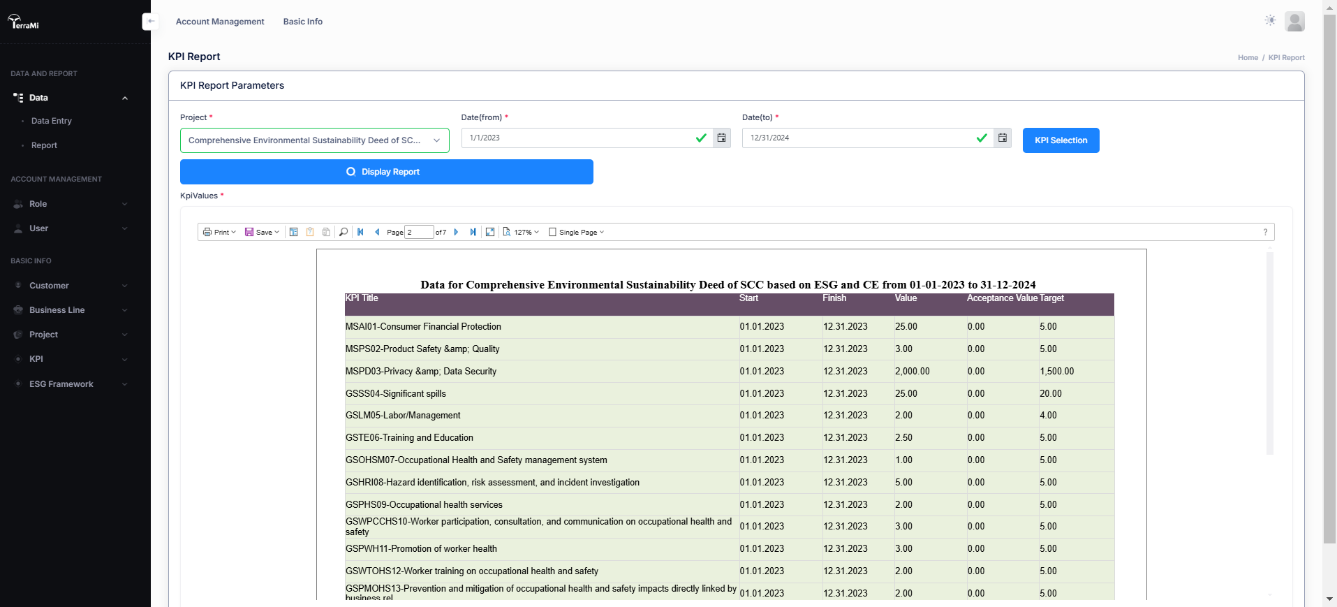
Select/Deselect KPIs that will be shown or not and click on Close and finally click on Display Report.
Report will be shown by Graph at first page and values, regarding ESG Framework weights in next pages. Print, save (as a few format) and other viewing actions can be done by View Menu of Report.
Gap Analysis Report
Data and Report
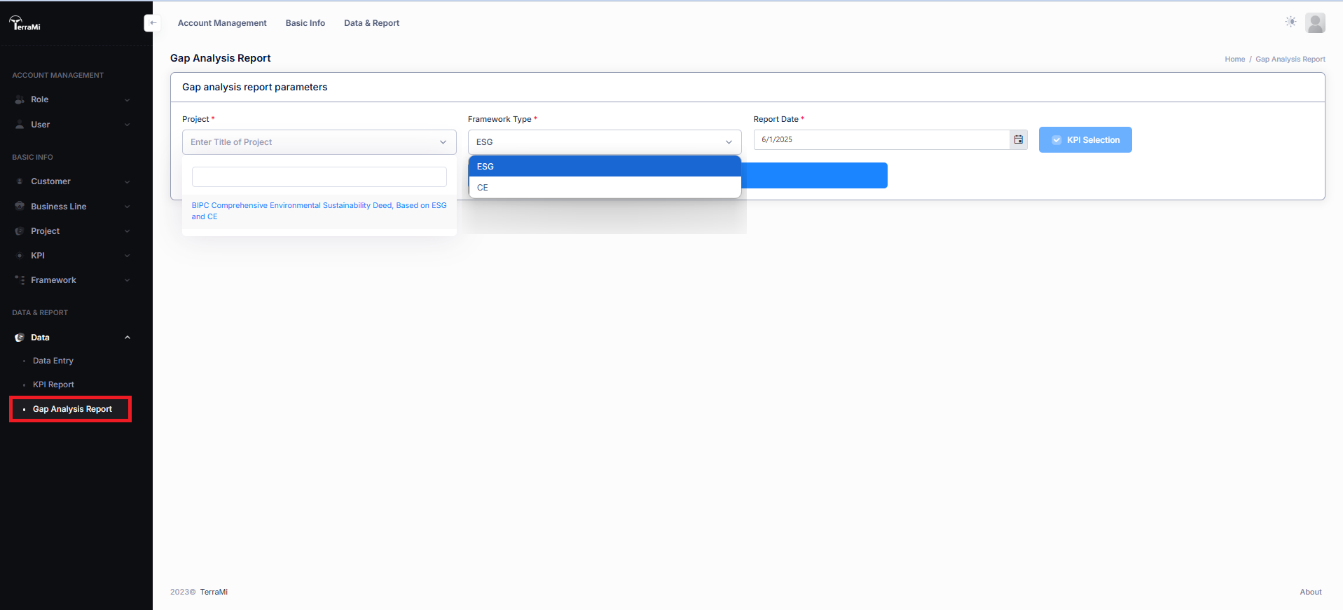
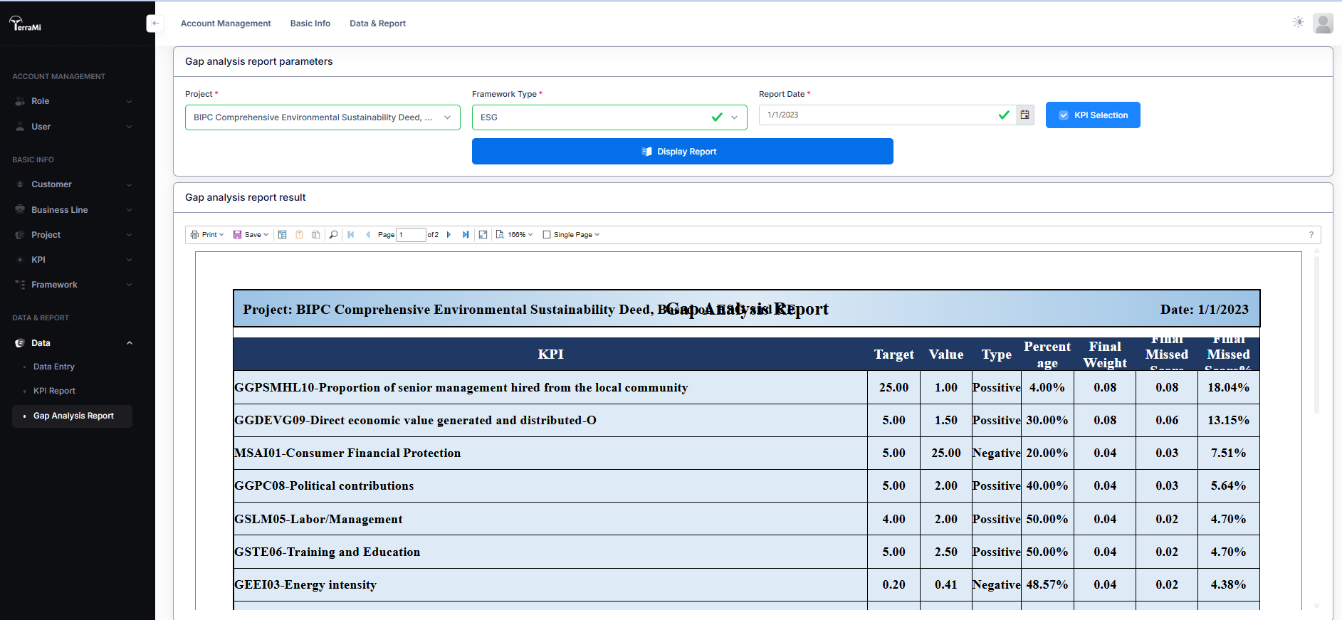
Select Data and Gap Analysis Report in main menu, Select Project, Framework Type and Date in main menu and click on KPI Selection to identify the KPIs which will be shown. Then klick Display Report.
Select/Deselect KPIs
Report will be shown by values, sorted by Final Missing Score (Descended order).
Print, save (as a few format) and other viewing actions can be done by View Menu of Report.
Checkout our Catalog
Where Infrastructure, Intelligence, and Sustainability Converge